

THE PHONE
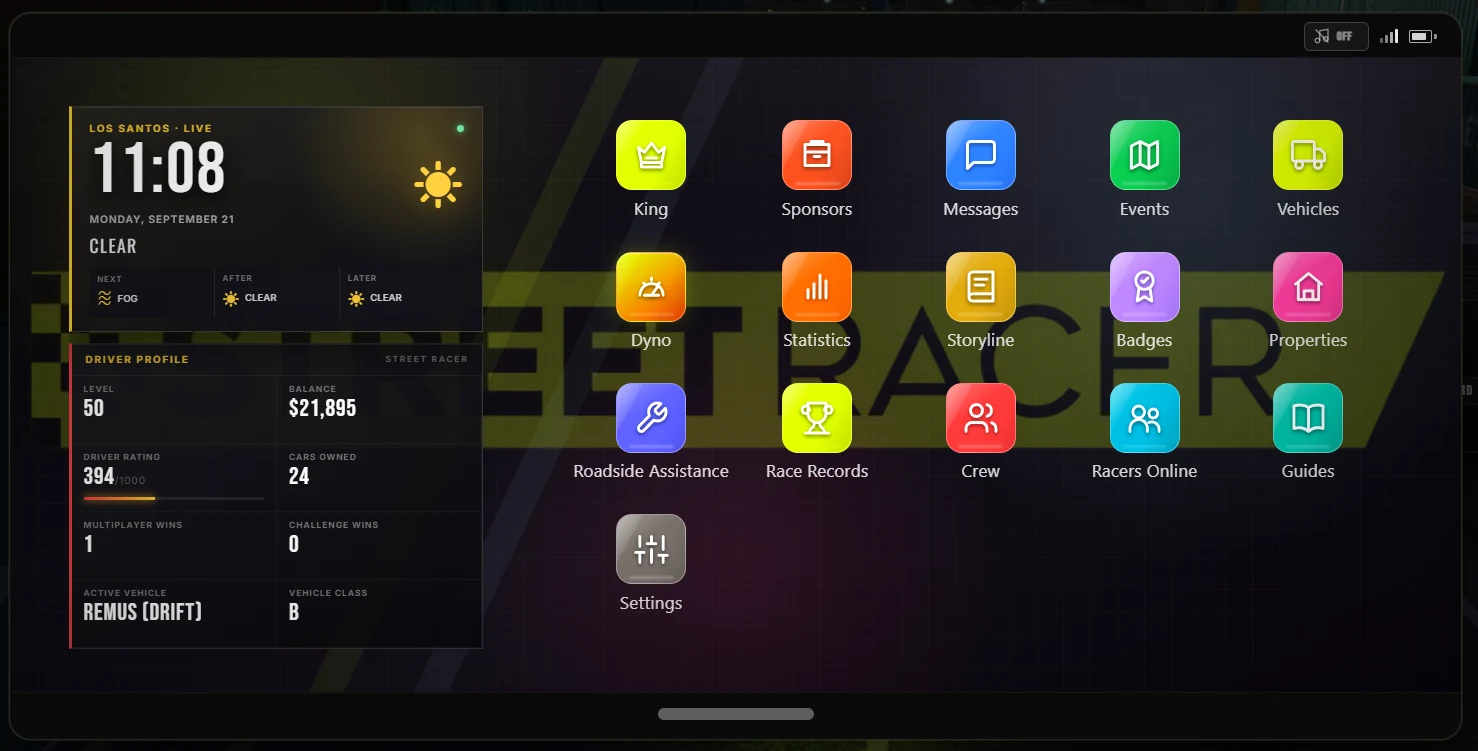
The phone is one of Street Racer' most important interfaces. Use it often: it brings together information you would otherwise have to find across the city.
MESSAGES
Communications and contacts. Some opportunities can reach you directly here.
MAP
View the city, check what is visible and set a destination.
VEHICLES
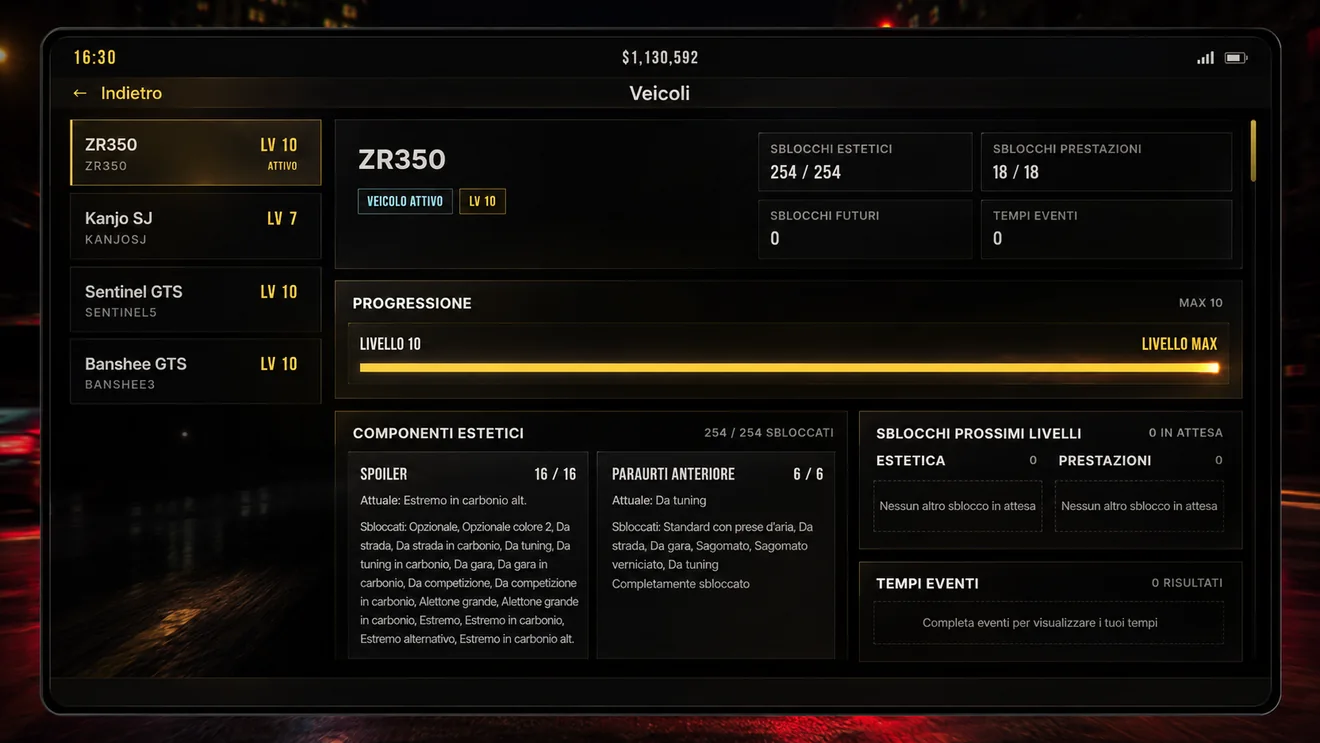
View your cars, your active vehicle and each vehicle's progression.
CREW
Create or manage your group, check members, invites, progression and competitive position.
KING
Follow the individual season, ranking, requirements and Hall of Fame.
SPONSOR
Check Driver Value, offers, active contract, payments and notifications.
STATISTICS
An overview of your activity and the results you have built up while playing.
PROPERTIES
Manage the properties available to your profile.
RECOVERY
Helps you recover your vehicle when you cannot continue normally.
RANKINGS
Compare performance and results across different time periods.
SETTINGS
Customize gameplay preferences and camera behavior.
WHEEL
Configure wheel, pedals, deadzone, axes and buttons directly from the phone.
BEFORE YOU ASSUME IT IS A BUG
The Vehicles app helps you understand the progression of the car you own and what can still become available as you continue using it.
YOU DO NOT HAVE TO RACE ALONE
From the Crew app you can create or manage your group, check invites, members, contributions and ranking. It is a shared progression system that grows with its members' activity.
COMPETITION AND OPPORTUNITIES ON THE PHONE
The app King shows the weekly season, ranking, qualification requirements and Hall of Fame. The app Sponsor instead shows your Driver Value, received offers and contract status.
KING
SPONSOR
YOUR DRIVING SETUP IS IN THE PHONE
The Wheel app opens the ski_wh configuration for device, steering, throttle, brake, deadzone and buttons.
YOU CHOOSE THE VIEW
Street Racer uses a camera different from the classic GTA V view. If you want to change its behavior, you do not need to leave the game or search for files or external commands.
OPEN THE PHONE
Press TAB to open the Street Racer phone.
OPEN SETTINGS
Open the app Settings.
CUSTOMIZE THE CAMERA
Adjust the view to your preferences and driving style.
CHECK THEM OFTEN
The map helps you navigate, but do not treat it as a complete list of everything Street Racer can offer. Likewise, a new message may be more important than it looks.